
基础教程-Tailwind CSS
迁移自:基础教程-Tailwind CSS 发布日期:2021-6-18 最后编辑:2024-9-12 原栏目:⌨ 开发教程 标签:开发 摘要:用工程化的CSS方式堆叠界面,能极大地方便界面开发、并且激发设计界面的灵活性
前言
TailwindCSS 是一个很棒的CSS类库,与其说是类库,不如说是一个超大的样式类工具集合,如果你掌握甚至习惯了 Tailwind 的语法。你会爱上它的。
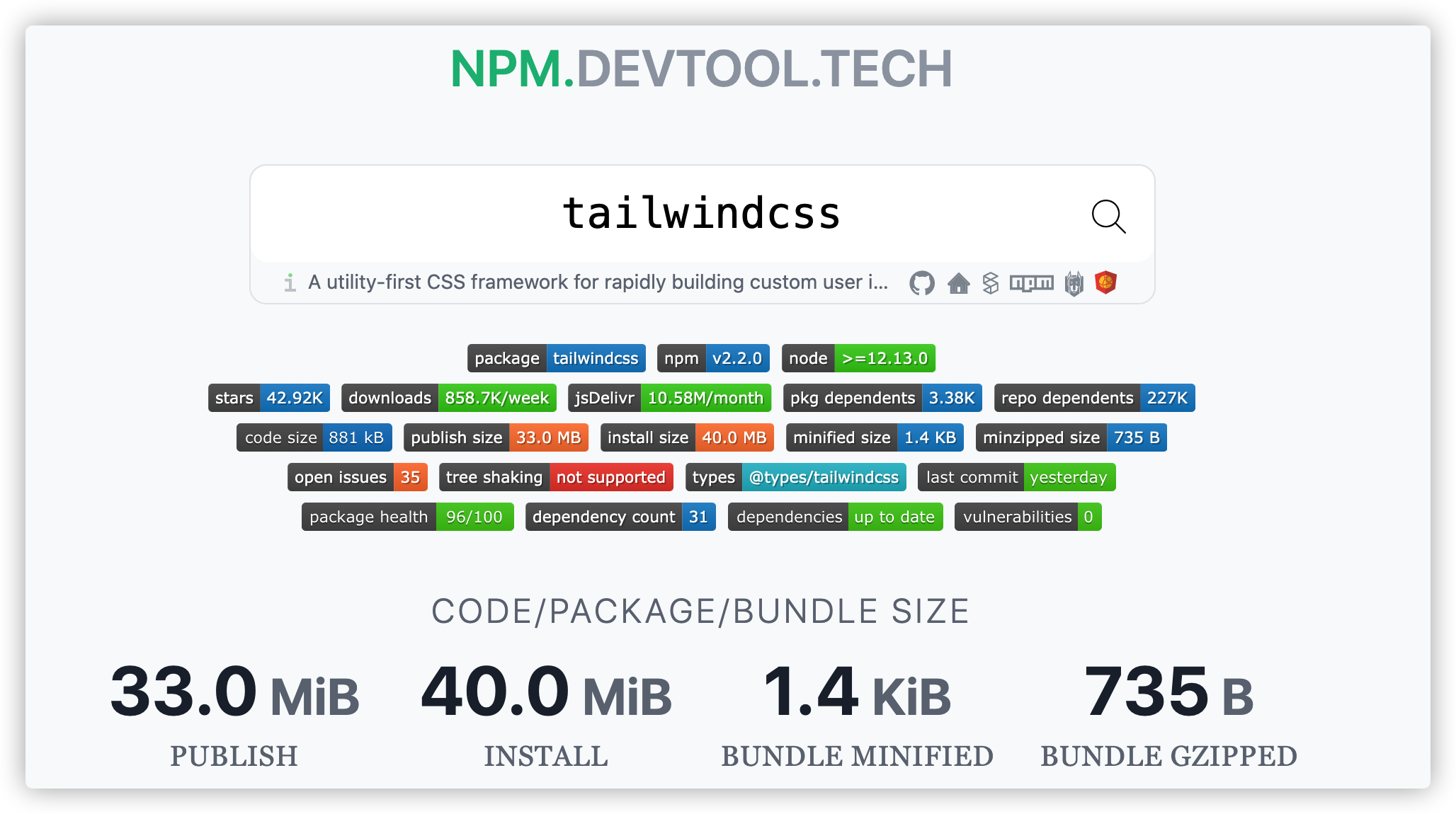
每个月 npm 下载量高达 800 万次,jsDelivr 下载量高达 1000 万次,Star 数也突破 40K,依赖于它的 Packge 及 Github Repo 更是成千,足见其受欢迎程度。然而你需要使用它时,Node 的版本最好大于 12.13.0
TailWindCSS的粒度
越往下走,颗粒度越来越大,约束性变高,自由性不足。而 TailwindCSS 位于第二层。
<div style="{ borderRadius: '0.5rem', padding: '1rem' }"> Click </div>

-> <div class="rounded-lg p-4"> Click </div>

<div class="button"> Click </div>

<Button> Click </Button>
上一代css框架是提供完整的设计输出,是组件级别,位于第四层,颗粒度大、约束性高,自由性不足。例如一个<Input>组件,框架已经帮你写好了所有样式,你只要把类名丢进去,一个input就被美化了。当然bootstrap还提供了sass版本,你可以通过修改变量来实现自定义,但毕竟自定义空间不大。
Tailwind提供的是设计规范,相当于理念层面的素材。比如还是input组件,你需要首先对input进行拆解,它的边框、字体、阴影、圆角等等,你要从框架里面把这些元素挑出来进行组合。
这样做极大的激发了设计师的创作想象力,也为设计师编程提供可能。
优点
庞大的样式类声明
Tailwind 提供大量的样式类声明,使得我们在编写页面样式的时候,基本可以不用写一行 style 就能实现大部分场景,比如我们有一个div,想通过 flex 布局实现垂直居中功能,我们需要编写如下CSS:
.flex-center {
    display: flex;
    justify-content: center;
    align-items: center;
}
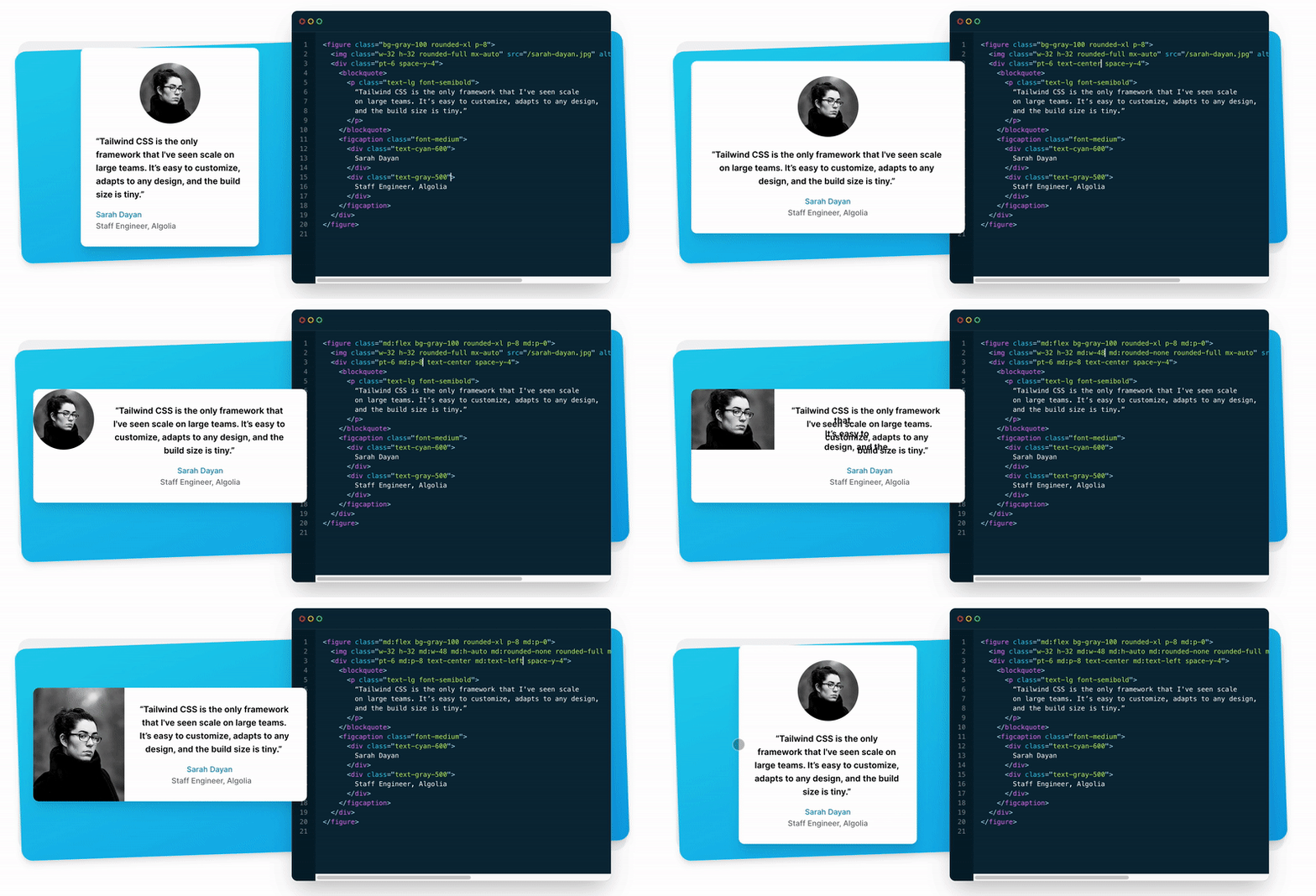
使用 Tailwind CSS 只需在元素 class 上声明如下:
<div class="flex justify-center items-center">I am a div</div>便捷的响应式
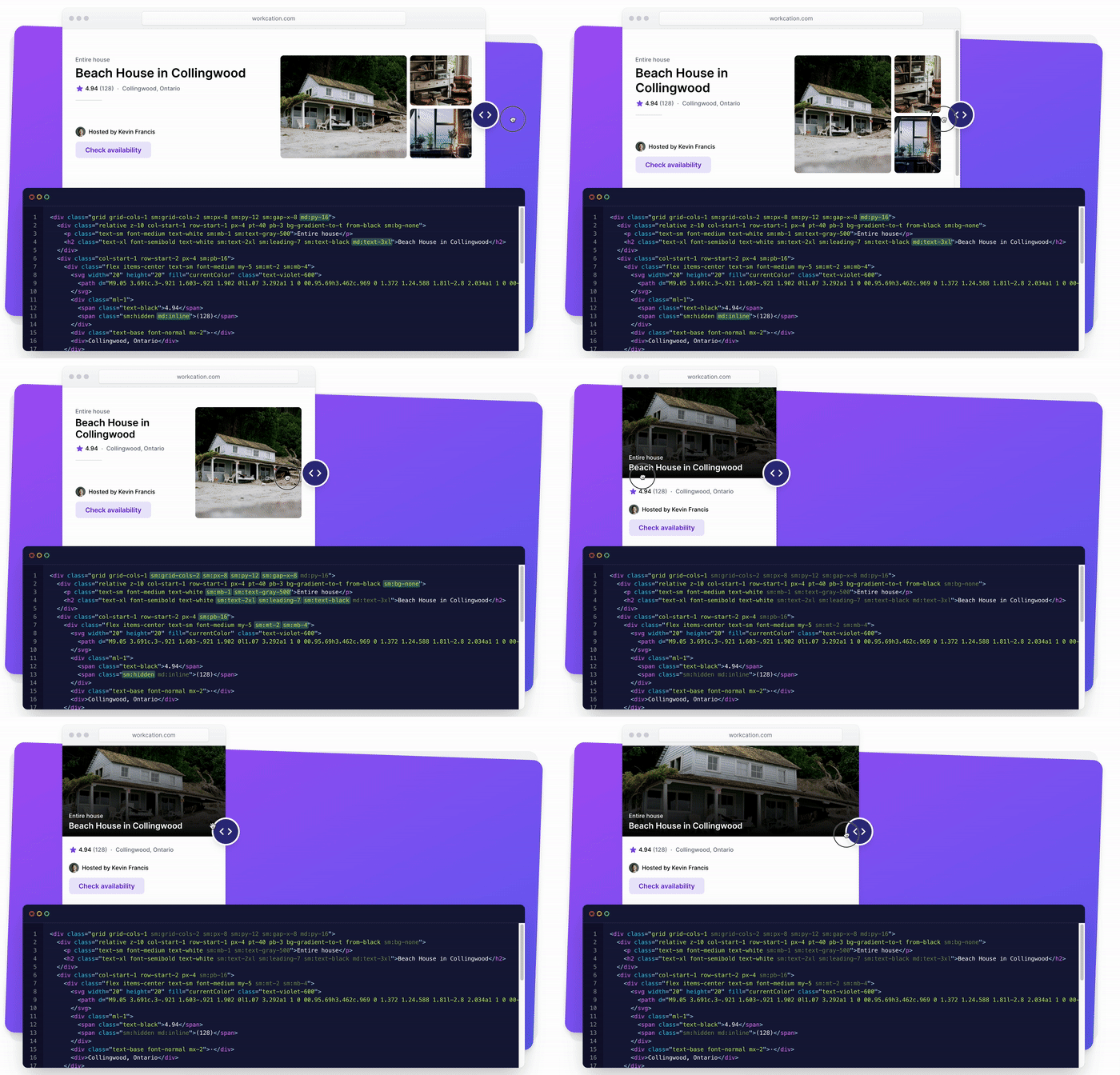
要实现不同分辨率屏幕下的样式,只需要在样式前加上对应的断点前缀:
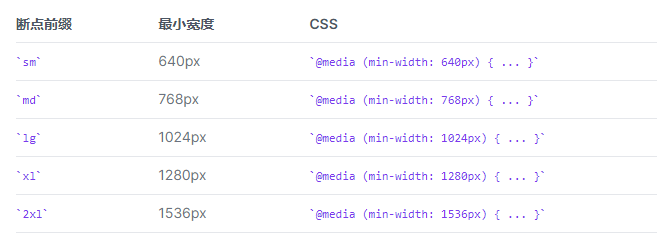
<!-- 默认宽16;中等尺寸屏幕上宽32, 更大的屏幕上尺寸为48 等等 -->
<img class="w-16 md:w-32 lg:w-48" src="...">
小巧轻量
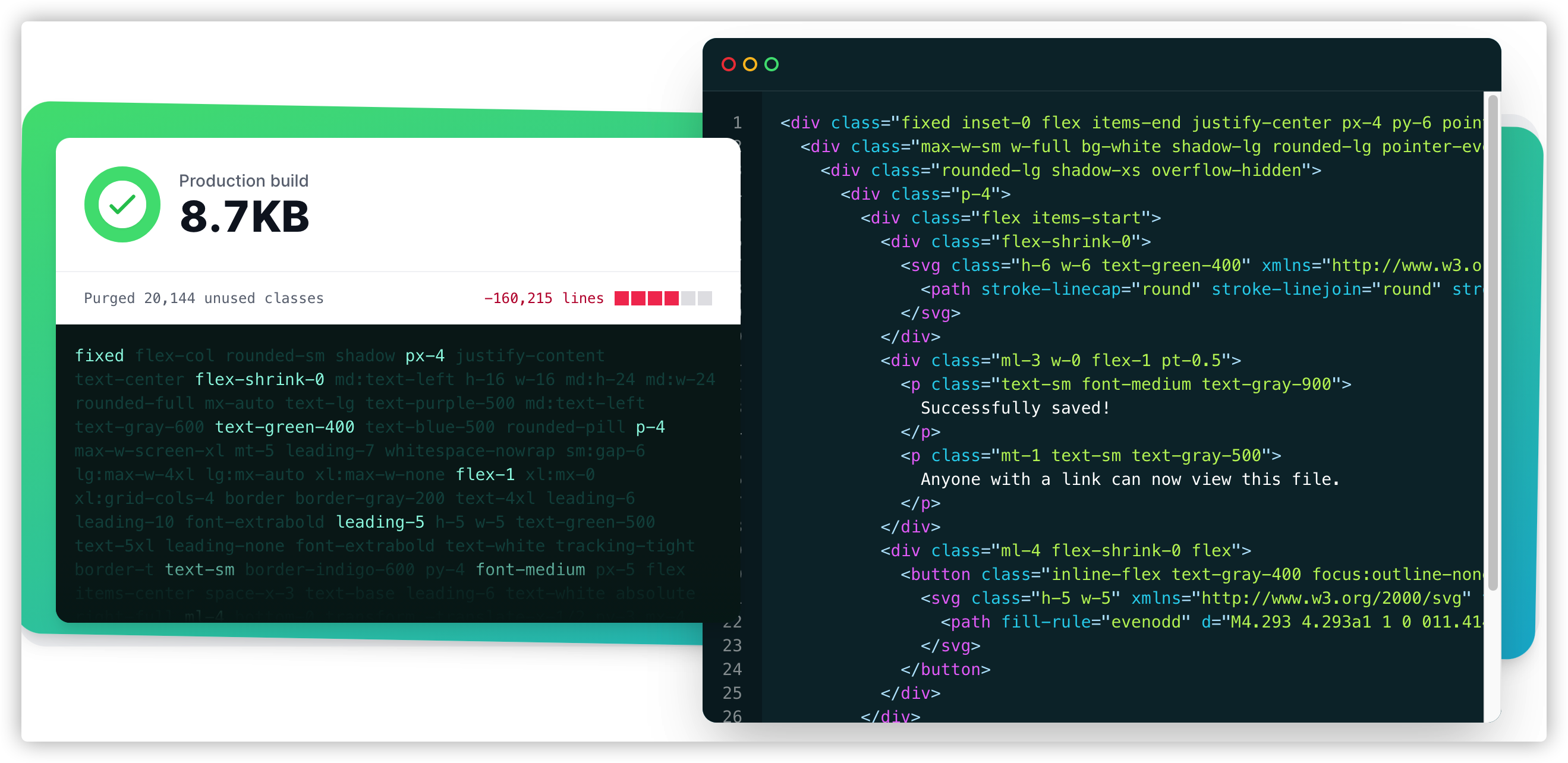
生产版本的库大小只有8.7kb
简化代码
举一个完整的例子,你可能需要实现下面这样一个效果:

按照我们正常的写法,需要这样写:
<div class="chat-notification">
  <div class="[chat-notification-logo-wrapper](https://www.zhihu.com/search?q=chat-notification-logo-wrapper&search_source=Entity&hybrid_search_source=Entity&hybrid_search_extra=%7B%22sourceType%22%3A%22answer%22%2C%22sourceId%22%3A1693039814%7D)">
    <img class="chat-notification-logo" src="/img/logo.svg" alt="ChitChat Logo">
  </div>
  <div class="chat-notification-content">
    <h4 class="chat-notification-title">ChitChat</h4>
    <p class="chat-notification-message">You have a new message!</p>
  </div>
</div>

<style>
  .chat-notification {
    display: flex;
    max-width: 24rem;
    margin: 0 auto;
    padding: 1.5rem;
    border-radius: 0.5rem;
    background-color: #fff;
    box-shadow: 0 20px 25px -5px rgba(0, 0, 0, 0.1), 0 10px 10px -5px rgba(0, 0, 0, 0.04);
  }
  .chat-notification-logo-wrapper {
    flex-shrink: 0;
  }
  .chat-notification-logo {
    height: 3rem;
    width: 3rem;
  }
  .chat-notification-content {
    [margin-left](https://www.zhihu.com/search?q=margin-left&search_source=Entity&hybrid_search_source=Entity&hybrid_search_extra=%7B%22sourceType%22%3A%22answer%22%2C%22sourceId%22%3A1693039814%7D): 1.5rem;
    padding-top: 0.25rem;
  }
  .chat-notification-title {
    color: #1a202c;
    font-size: 1.25rem;
    line-height: 1.25;
  }
  .chat-notification-message {
    color: #718096;
    font-size: 1rem;
    line-height: 1.5;
  }
</style>
但是使用Tailwind CSS,你只需要这样写就可以:
<div class="p-6 max-w-sm mx-auto bg-white rounded-xl shadow-md flex items-center space-x-4">
  <div class="flex-shrink-0">
    <img class="h-12 w-12" src="/img/logo.svg" alt="ChitChat Logo">
  </div>
  <div>
    <div class="text-xl font-medium text-black">ChitChat</div>
    <p class="text-gray-500">You have a new message!</p>
  </div>
</div>
Visual Studio Code 插件支持
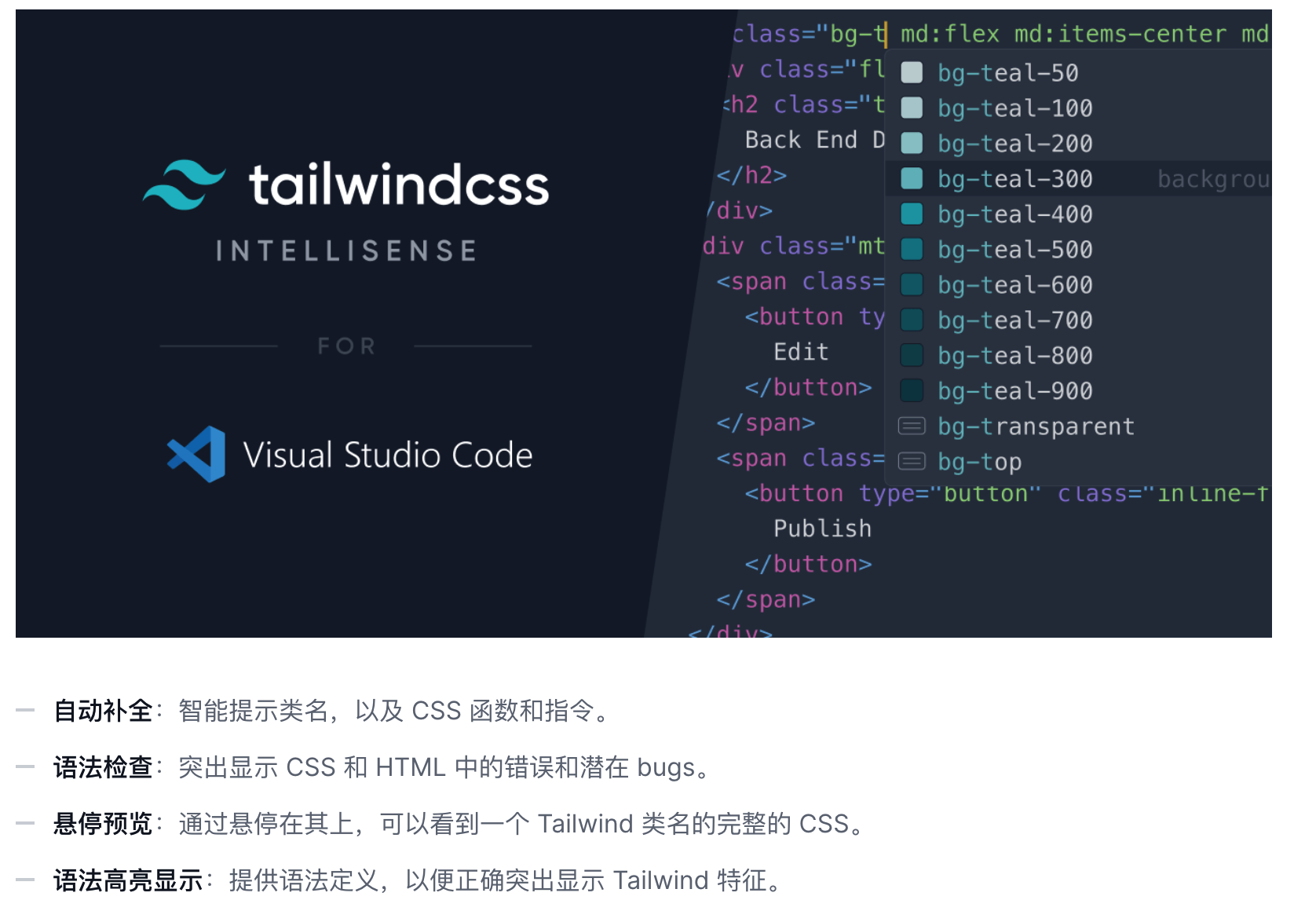
安装了插件后,即可体验飞快的开发
官方生态
组件参考
Tailwind CSS Components. Examples and templates
Tailwind CSS examples from components by the community. Tailwind chart, grids, inputs, forms, templates and much more
Tailwind CSS Components - Tailwind UI
Beautiful UI components and templates by the creators of Tailwind CSS.
内置颜色参考
Customizing Colors - TailwindCSS中文文档 | TailwindCSS中文网
Customizing the default color palette for your project.
修改样式示例
此方法适合有开发经验的专业人员。
以example 主题为例:
如何修改example主题的背景色?在/themes/example/index.js 中 ,找到 theme-example的这行:
<div id='theme-example' className={`${siteConfig('FONT_STYLE')} dark:text-gray-300 bg-white dark:bg-black scroll-smooth`} >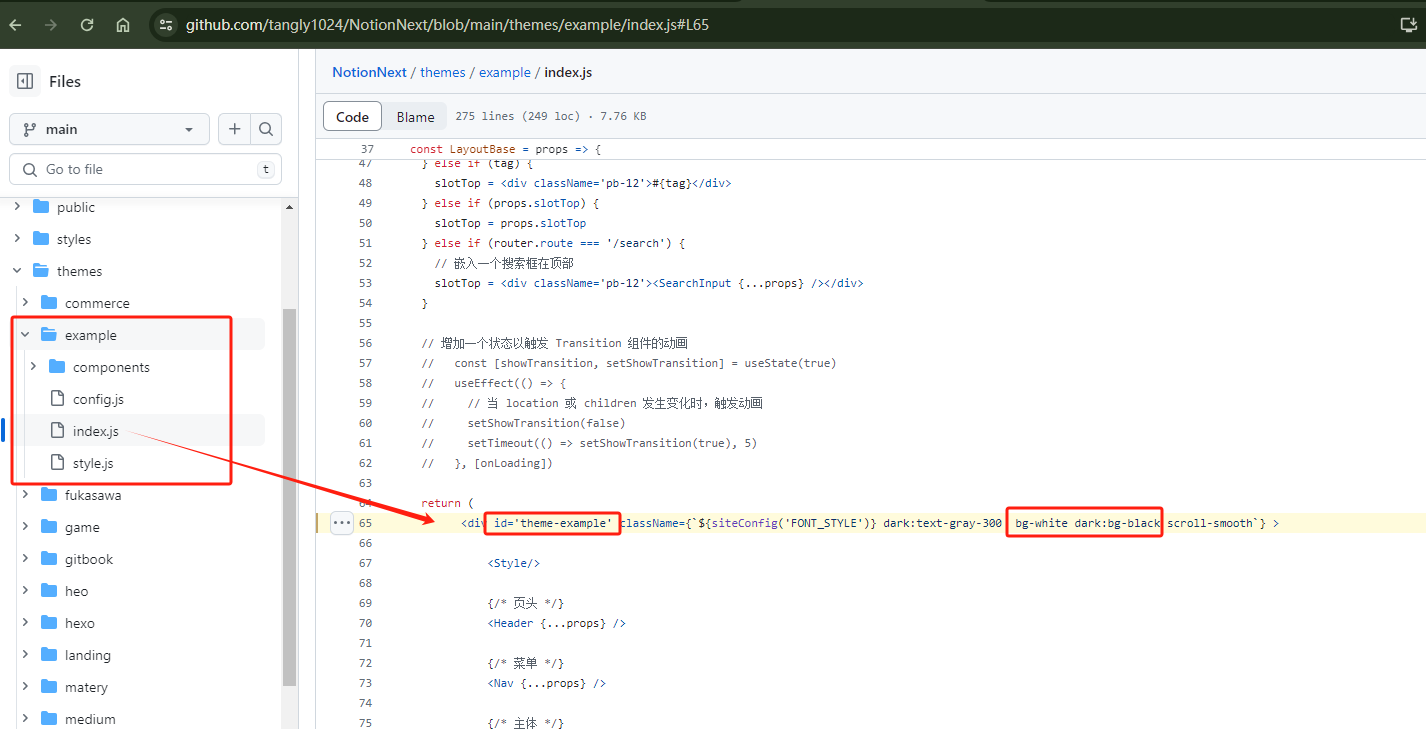
其中bg-white 表示默认主题背景色为白色,dark:bg-black表示夜间模式的背景色为黑色。
您可以任意调整成自己的色号,按照TailwindCSS的自定义颜色教程,可以如下设置:bg-[#dca846] dark:bg-[#eeeeee]
<div id='theme-example' className={`${siteConfig('FONT_STYLE')} dark:text-gray-300 bg-[#dca846] dark:bg-[#eeeeee] scroll-smooth`} >同理,要修改其他主题的背景色,也可以通过以上步骤
找到主题文件 /tehemes/xx/index.js
找到整体背景色 id=’theme-xx’ className=’bg-day dark:bg-night’ 修改并保存即可。
总结
未来的css框架趋势必然是:更细化,更工程化。
它的美化效果不一定是最好的。但是它的这种工作方式,定会在不同公司得到发挥,特别是有统一设计团队,要统一UI的公司。对于这些公司而言,写好设计规范,接下来就是拼凑。如何设计师直接通过组合得出效果,对研发人员来说也节省了时间。
TailwindCss 相关资源
官方文档
Tailwind CSS 是一个功能类优先的 CSS 框架,它由 Adam Wathan 创建。本站提供 Tailwind CSS 官方文档中文翻译致力于为广大国内开发者提供准确的中文文档,助力开发者掌握并使用这一框架。
题外-Tailwind CSS: 从副业产品到2百万美元的故事
我是 Adam Wathan,Tailwind CSS的发明者。
2020年7月份,Tailwind 的总安装量突破了1千万次,这让我非常惊讶。
我们从Tailwind UI中获得200万美元的收入,这是我们第一个商用的Tailwind CSS产品,是在第一个Tailwind CSS版本发布两年之后。
This was originally posted as a thread on Twitter, but I thought I'd republish it here to give it a proper home. So about a month or so ago, Tailwind cracked 10 million total installs, which given its humble beginnings, completely blows my mind.
分享独立开发、产品变现相关内容,每周五发布。\x0d\x0a本内容开源( Github: ljinkai/weekly )